1
Trade in Cockpit
TradingPlace captures your orders and trade lifecycle in real time. Your journal is already being built whether you open it or not.
No CSV imports and no manual logging. The journal reads from the same live trade feed you execute against — annotate each trade, filter by account, replay on chart, and track the patterns that actually matter to your process.
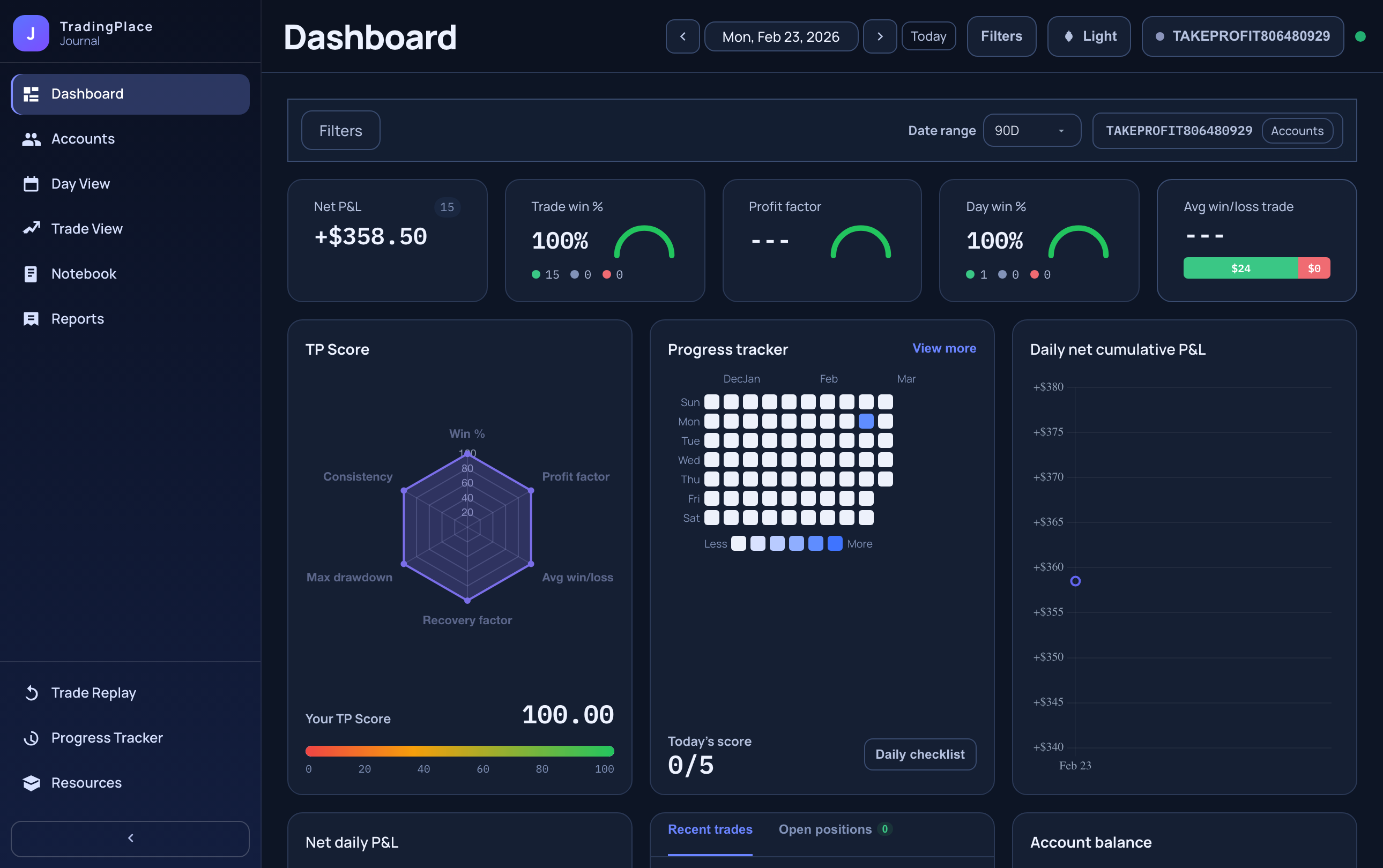
Performance dashboard with P&L metrics, equity curve, and account breakdown.
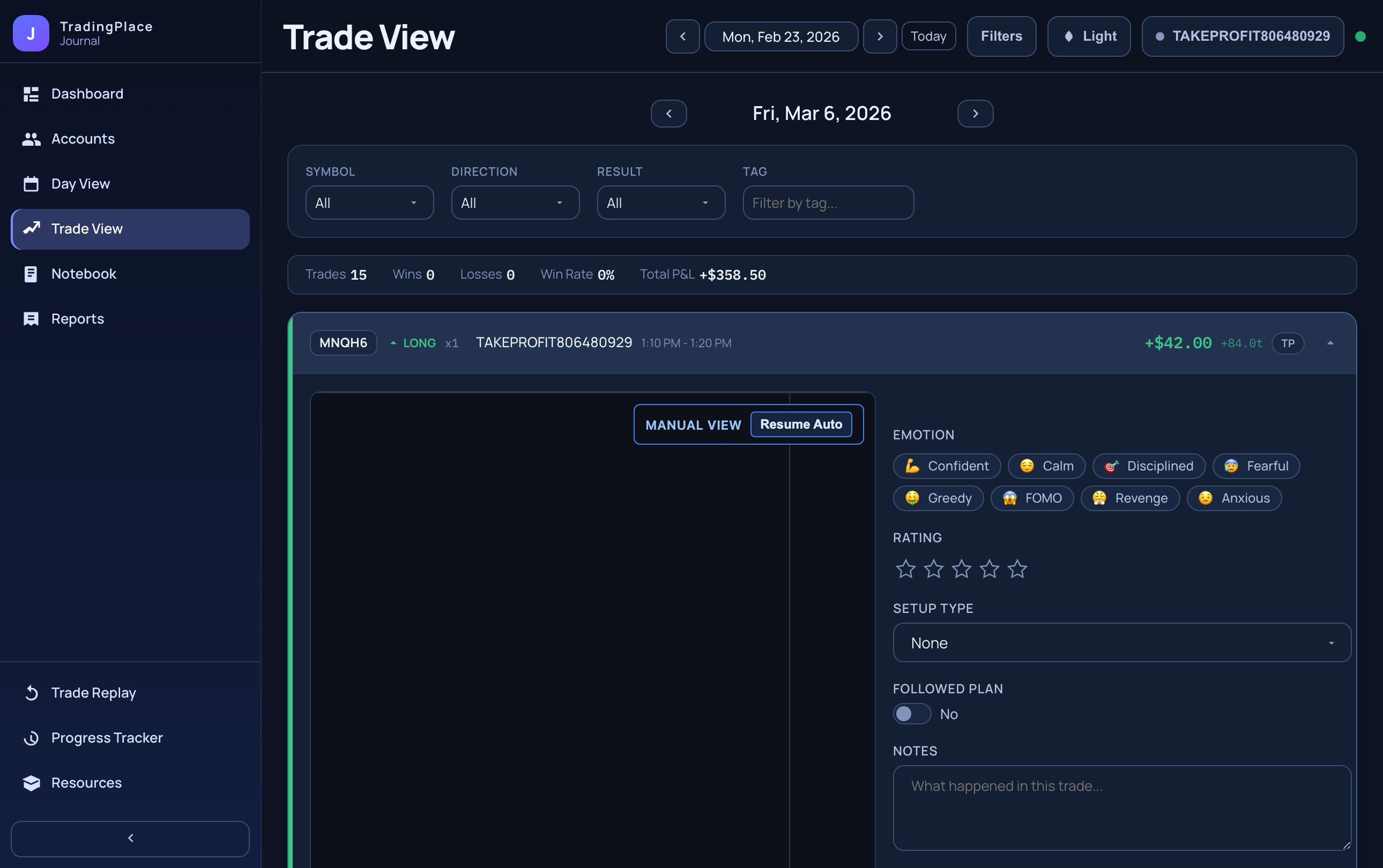
See the trade review workflow: filter by account, open the annotation editor, and attach context to any trade.
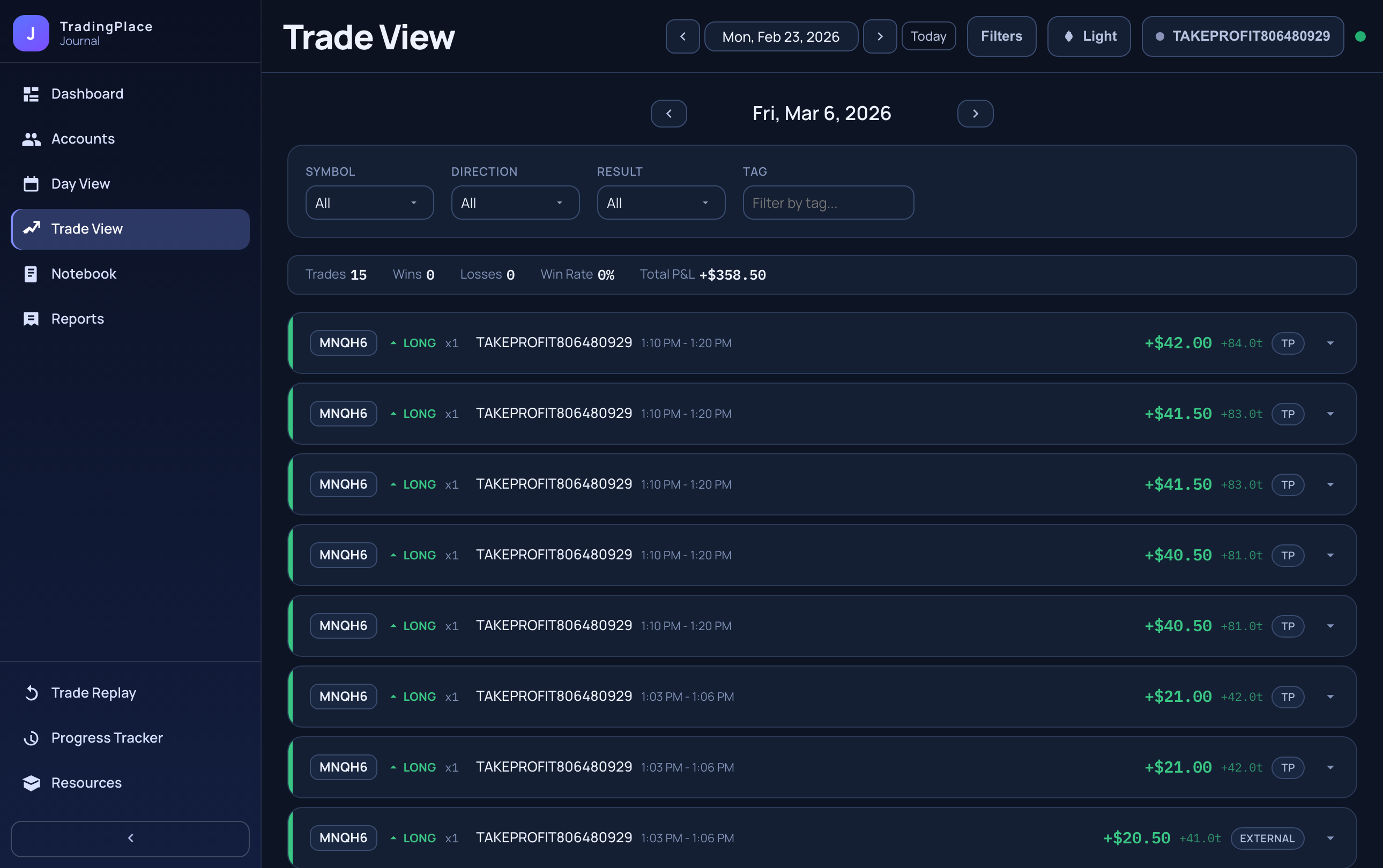
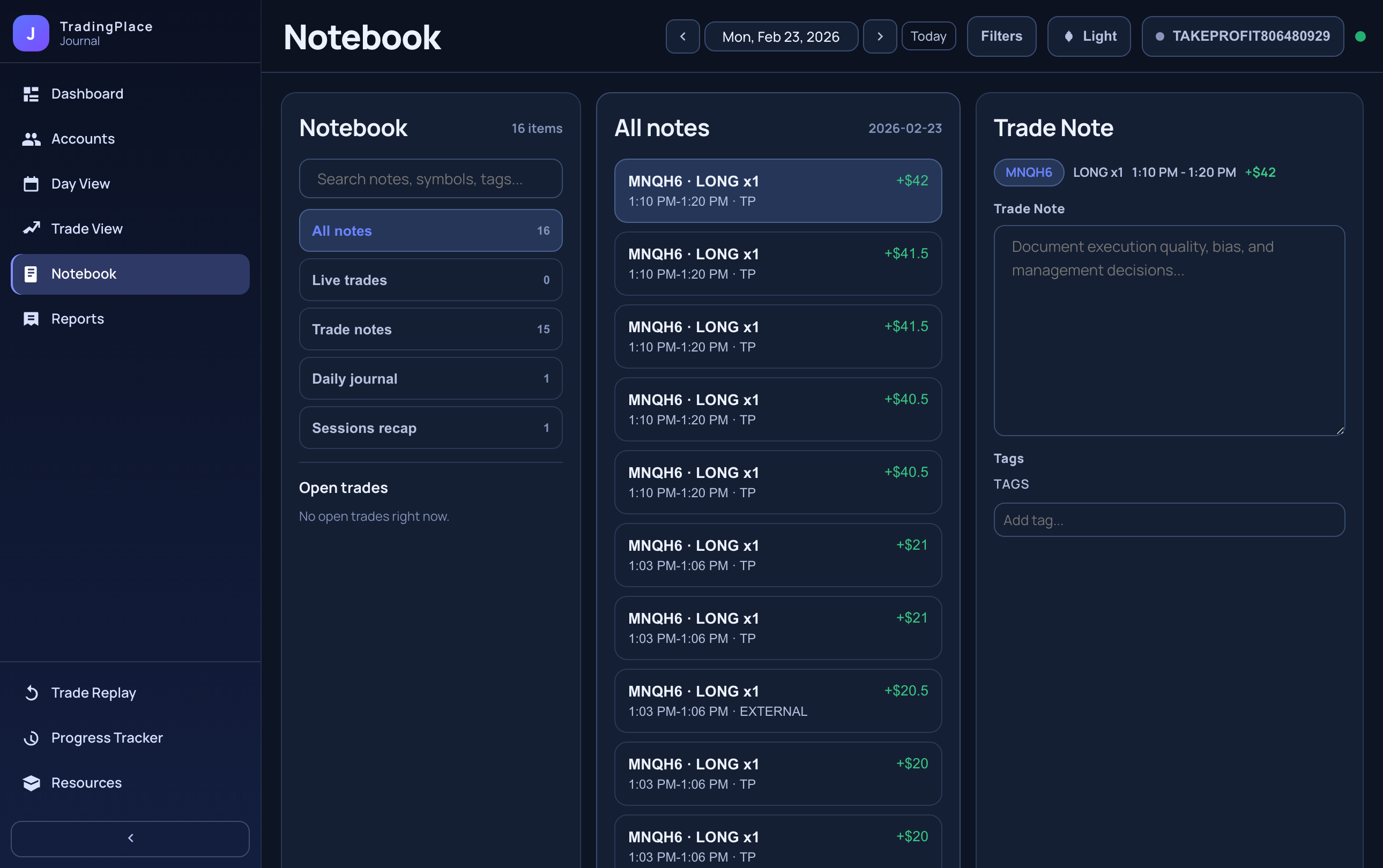
Designed to work during the session for quick tagging and after the session for deeper pattern review.
TradingPlace captures your orders and trade lifecycle in real time. Your journal is already being built whether you open it or not.
Tag the trade with setup type, emotion, followed-plan, mistakes, and notes — from the Cockpit trade card or the journal view, while the details are still clear.
Filter by account and date range. Drill from monthly calendar to day to individual trade to spot what's working, what to stop, and what to build on.
Account analytics, annotation tools, and chart replay — all reading from the same trade stream you're already using.
Net P&L, win rate, profit factor, max drawdown, average winner vs. loser, and behavior scorecards in one view.
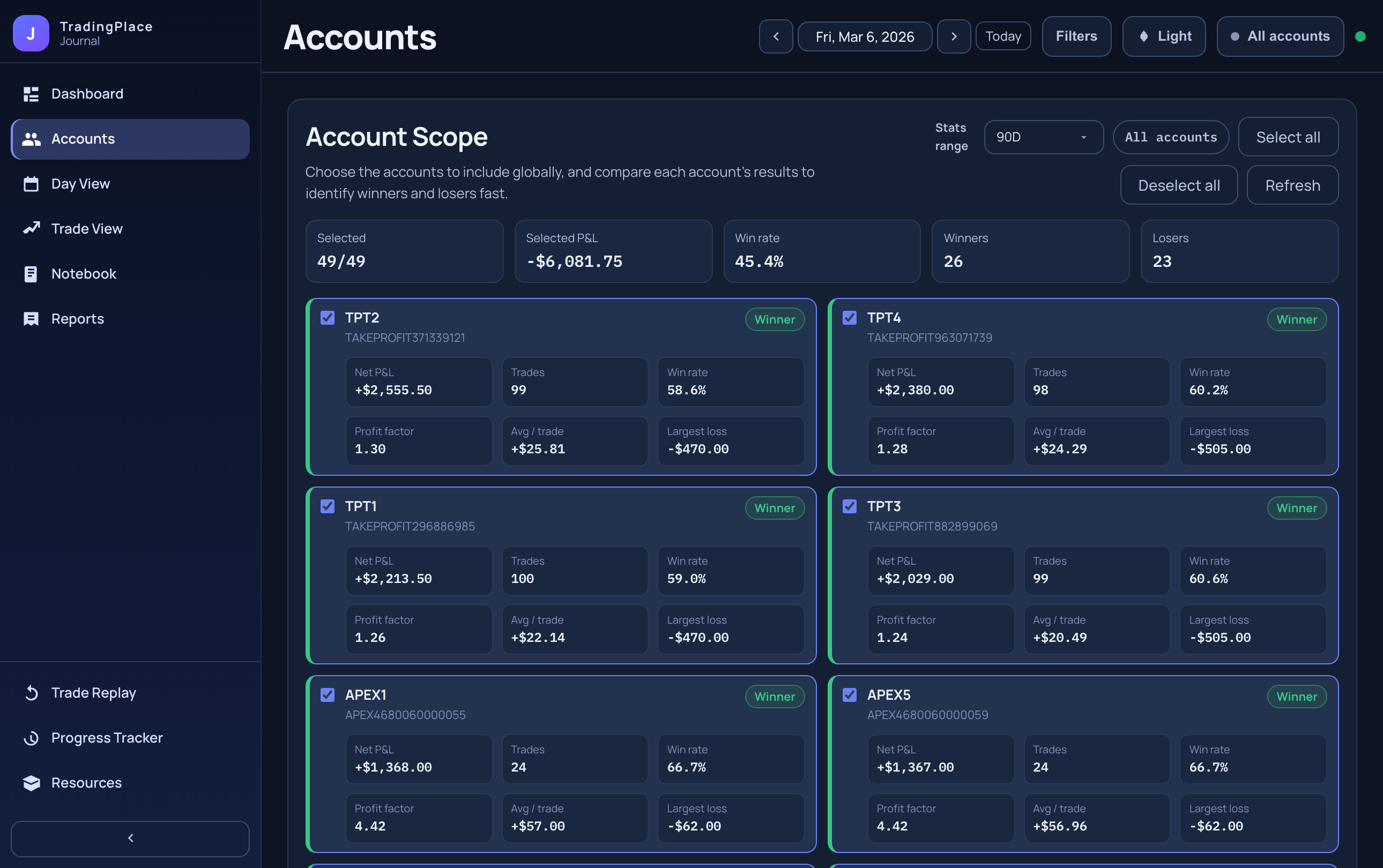
P&L ranking by account with a global account selector that updates all downstream views — calendar, trade list, and analytics — in one click.
Notes, emotion tags, setup type, followed-plan checkbox, mistakes, lessons, and custom tags — all linked to tradeGuid so they survive account refreshes.
Monthly P&L heatmap with drill-down to each session, then to each individual trade, so you can map daily context to execution quality.
A focused chart window centered on your trade's timeline with entry, stop, target, and exit markers overlaid — inspect the actual price action around your decisions.
Add or edit annotations directly from open and closed trades in Cockpit — the same journal record updates immediately with no separate window required.
Spot patterns at the session level, then drill into the chart to see what actually happened at execution.
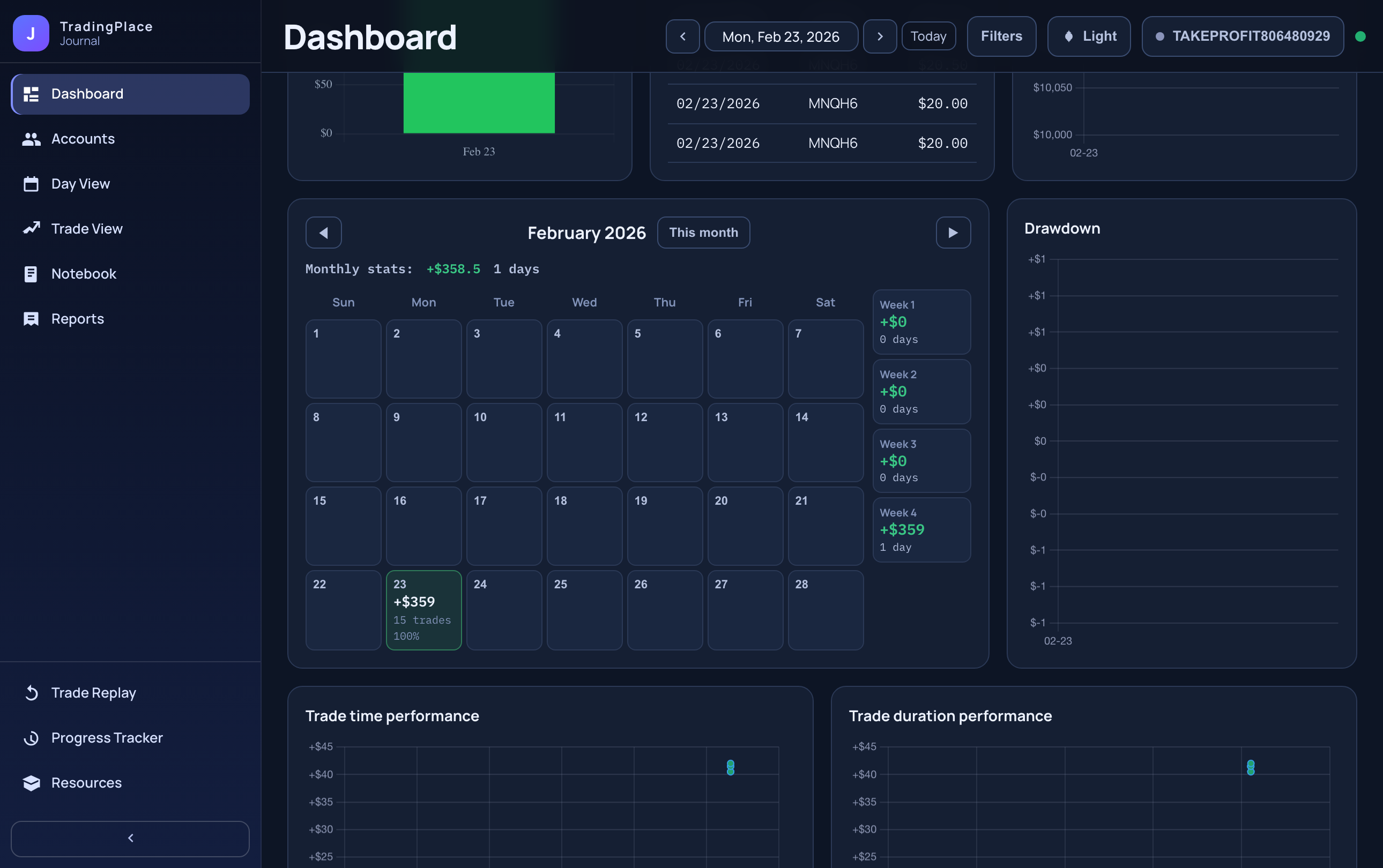
See which accounts are helping and which are hurting. Filter the entire journal to any subset in one click.
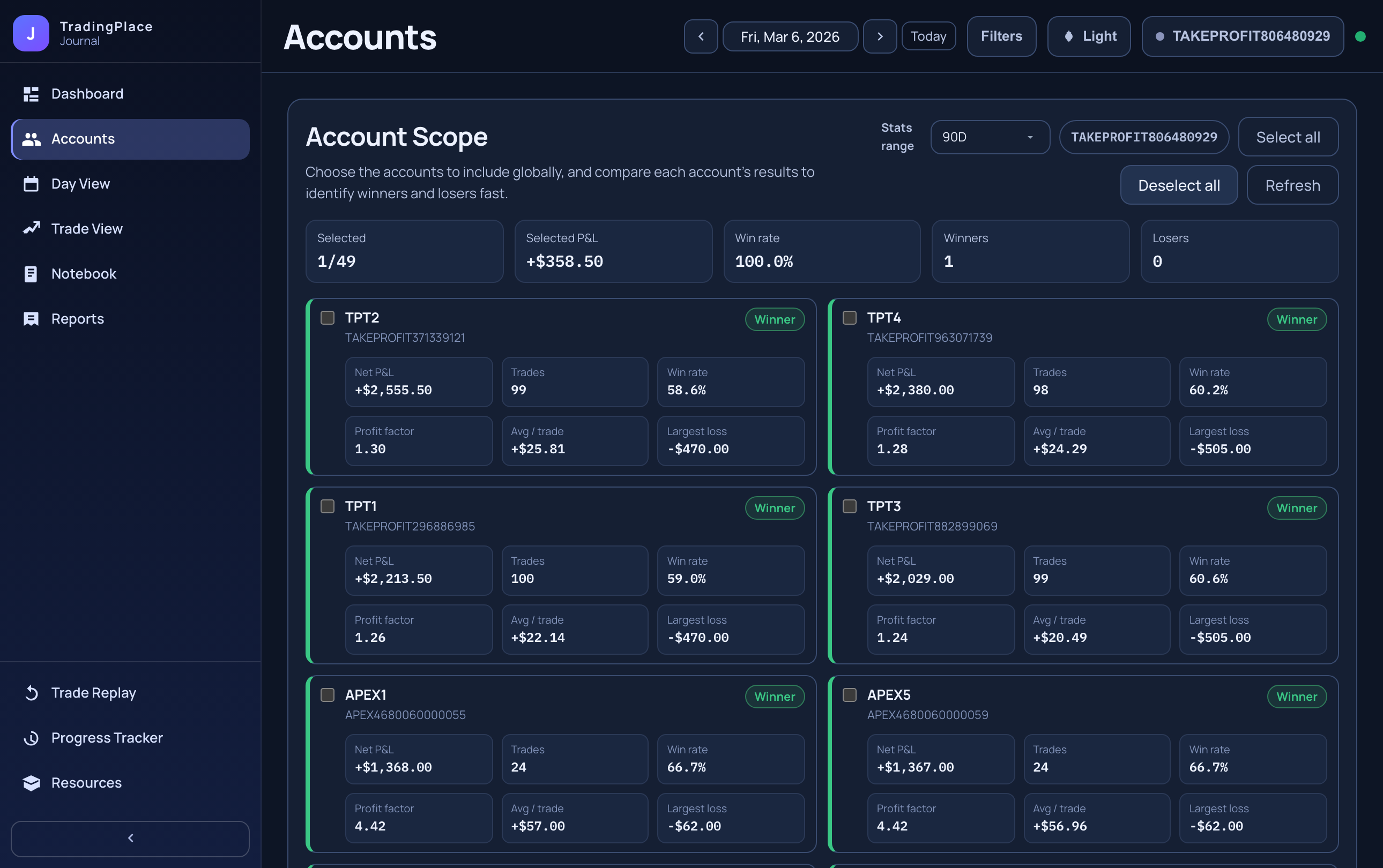
Manual journals get abandoned. This one works whether you open it or not.
The journal starts working from your first TradingPlace trade. Add annotations, filter by account, replay on chart, and build a real picture of your process — without switching apps.
Included in Crystal. Your trades are already being tracked — start reviewing them now.